Keep running claude.
Use it from your phone.
The sessions you already started, from every account and every machine, in one place.
No tmuxNo SSHNo relaunching
Free to start · Open source (MIT) · End-to-end encrypted
 nyan-remoteGitHubAccount
The sessions you already started, from every account and every machine, in one place.
No tmuxNo SSHNo relaunching
Free to start · Open source (MIT) · End-to-end encrypted
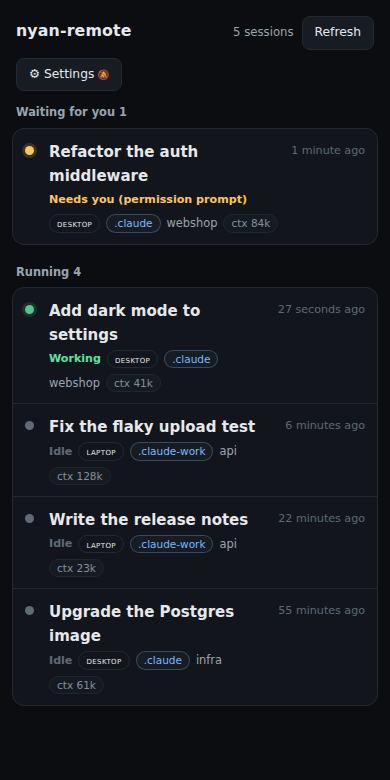
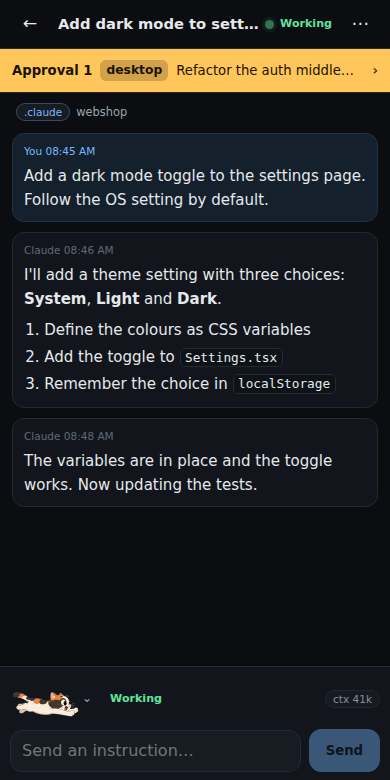
claude as usualSame command, same accounts, nothing to relaunch.No wrapper command to start under, no tmux, no SSH. Nothing to prepare before you leave.
~/.claude and ~/.claude-<name> accounts on every PC, found automatically and merged into one list. Waiting approvals come first.
The agent on your PC, the web app and the relay are all open source (MIT) — read them on GitHub. Session content is end-to-end encrypted between your phone and your PC; the relay cannot read it. Or run it over Tailscale or your own relay.
On your PC (WSL / macOS / Linux, Node 24):
curl -fsSL https://app.nyan-remote.app/install.sh | bashIn a new terminal, register your phone (no account needed):
nyan pairOn your phone, open app.nyan-remote.app and add it to your home screen, then open it from there and scan the QR code.
On iPhone the order matters: the Home Screen app keeps its data apart from Safari, so a pairing done in a Safari tab does not carry over. To use it in the browser instead, just pair there.
$0
1 machine per phone, 2 phones per machine (our relay)
No account · all features included. The machine you pair last is your free one
Prices are in US dollars and include tax. Cancel anytime; you will not be charged from the next renewal.
nyan-remote is not an official Anthropic product. Claude and Claude Code are trademarks of Anthropic.